Keep Your Crypto Safe: A Beginner’s Guide to Hardware Wallets
In the fast-paced world of cryptocurrency, security is paramount. While many new users start with software wallets or exchange accounts, the most robust protection for your digital assets comes from a hardware wallet. Think of it as a digital fortress for your Bitcoin, Ethereum, and other valuable cryptocurrencies. This guide will walk you through everything you need to know, from what a hardware wallet is to how to set one up and use it effectively.
What Exactly Is a Hardware Wallet?
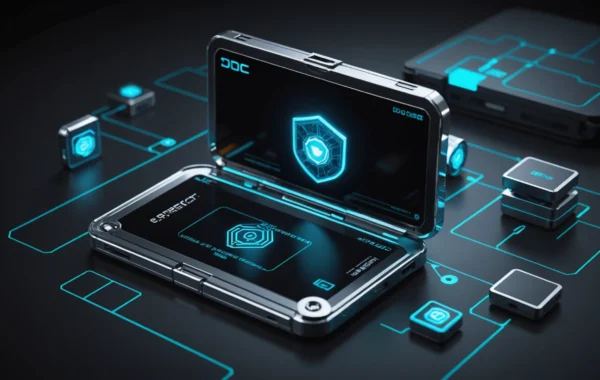
A hardware wallet is a physical device, often resembling a USB drive, designed to store your cryptocurrency’s private keys offline. Unlike software wallets (which are applications on your computer or phone) or exchange wallets, hardware wallets keep your private keys isolated from the internet. This offline storage, known as ‘cold storage,’ makes them extremely resistant to online threats like hacking and phishing.
Why Use a Hardware Wallet?
- Unmatched Security: Your private keys never touch the internet, significantly reducing the risk of theft.
- Control Over Your Assets: You have complete control over your crypto. No third party can freeze or seize your funds.
- Peace of Mind: Knowing your assets are secured offline provides invaluable peace of mind.
- Easy to Use: Modern hardware wallets are designed with user-friendliness in mind, making them accessible even for beginners.
Getting Started: Setting Up Your Hardware Wallet
Setting up a hardware wallet is a straightforward process, but it requires your full attention. Always follow the specific instructions provided by your wallet manufacturer, as steps can vary slightly between brands like Ledger and Trezor. Here’s a general outline:
Step 1: Purchase Your Hardware Wallet
Buy directly from the manufacturer’s official website or an authorized reseller to avoid counterfeit devices. Never buy used hardware wallets.
Step 2: Initialize the Device
Connect your hardware wallet to your computer and follow the on-screen prompts. You’ll be asked to set a PIN code. Choose a strong, memorable PIN. This PIN protects your device from physical access.
Step 3: Secure Your Recovery Phrase
This is the MOST CRITICAL step. Your hardware wallet will generate a unique recovery phrase (also known as a seed phrase or mnemonic phrase) – typically 12 or 24 words. This phrase is the master key to ALL your crypto. If you lose your device or forget your PIN, this phrase is the only way to recover your funds.
- Write it down carefully: Use a pen and paper. Do NOT type it into your computer, take a photo, or store it digitally.
- Store it securely: Keep it in a safe place, like a fireproof safe, and consider multiple secure locations.
- Never share it: Treat your recovery phrase like a million-dollar secret. Anyone with access to it can steal your crypto.
Step 4: Verify Your Recovery Phrase
Your wallet will usually ask you to re-enter your recovery phrase to confirm you’ve written it down correctly. Double-check each word!
Using Your Hardware Wallet: Sending and Receiving Crypto
Receiving Crypto
To receive crypto, you’ll need to connect your hardware wallet to its companion software on your computer or mobile device. Navigate to the account for the cryptocurrency you wish to receive. Your wallet software will then display your public address. This address is safe to share and can be given to others to send you funds. Think of it like your bank account number.
Sending Crypto
When you want to send crypto, you’ll use the same companion software. Select the cryptocurrency, enter the recipient’s public address, specify the amount, and then confirm the transaction on your hardware wallet device itself. This confirmation step is vital, as it ensures you are authorizing the transaction directly from your secure, offline keys. You will need to enter your PIN on the device to approve the transaction.
Important Security Practices
Beyond secure setup, here are some ongoing practices to maintain the safety of your assets:
- Keep Firmware Updated: Manufacturers regularly release firmware updates to patch vulnerabilities and add new features. Always update your device when prompted.
- Use a Strong PIN: As mentioned, a robust PIN is your first line of defense against physical access.
- Be Wary of Phishing: Never click on suspicious links or download unverified software related to your hardware wallet.
- Regularly Back Up Your Recovery Phrase: While the initial backup is crucial, periodically check that your written recovery phrase is still legible and secure.
- Consider Multiple Wallets: For very large amounts of crypto, some users opt to split their assets across multiple hardware wallets for added redundancy.
By understanding and implementing these steps, you’re taking a significant leap in securing your digital future. A hardware wallet is an investment in the safety and control of your cryptocurrency.
For more on managing your digital assets, explore our guide on understanding crypto staking.
To learn about moving assets across different blockchains, check out our tutorial on how to bridge assets.